

How We Built Racing Club: Bling City on Roblox
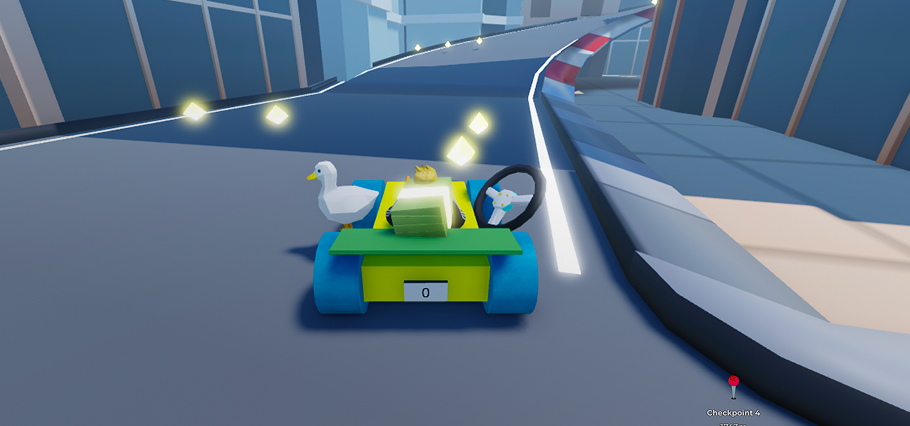
Racing Club: Bling City is a multiplayer kart racing game on Roblox built around dynamic, ever-changing races. Every round features a newly generated track, a living world, and gameplay systems like checkpoints, cargo pickups, and deposit mechanics.
This post is a deep dive into how we built it, specifically for Roblox developers who are new to ECS (Entity Component System) and are curious how it holds up in a real production game.
You can also explore the Full Turbo homepage, check out the live Racing Club: Bling City game page , or view our open Community Manager role.
Why We Moved Away from “The Roblox Way”
Roblox development traditionally revolves around Instances plus events. That works well early on, but as your game grows, it becomes increasingly difficult to manage:
- Events firing across multiple modules
- Tight coupling between systems
- Logic scattered across scripts
- Hard-to-track dependencies
We ran into this quickly.
A simple feature like “pickup a crystal” starts as a single function, but over time it expands:
- Inventory needs to update
- UI needs to reflect it
- Effects and sounds need to play
- Game rules need to react
With an event-driven approach, this turns into a web of interconnected systems.
The ECS Shift
Instead of systems talking to each other, ECS flips the model:
Systems don’t talk. Systems react to data.
An entity gains a component, it enters a query, and systems respond.
Example:
- A player picks up cargo, entity gets `Carrying` component
- A drop system queries all entities with `Carrying`, handles deposit logic
- A UI system queries the same state and updates UI
No direct communication. No events. Just shared state.
What Is ECS (And Why It Works)
ECS stands for Entity Component System, a pattern popular in modern game development.
- Entity: just an ID
- Component: pure data, no logic
- System: logic that runs on entities matching a query
Composition Over Inheritance
Instead of building rigid hierarchies, you compose behavior:
- Player can fly, add `Flying`
- Bird can fly, same component
- Car can boost, add `Nitro`
No inheritance trees. Just data.
A Simple Before vs After
Before (Event-Driven)
We had multiple camera controllers:
- Start one
- Stop others
- Manage transitions manually
After (ECS)
We just add a component:
w:add(playerEntity, c.FollowCamera)The camera system does the rest.
What a System Looks Like
Here’s a real system from our game:
local function checkCarPosition(context)
	local w = context.world
	local c = context.components

	local query = w:query(c.Vehicle, c.ModelRef):cached()

	return function()
		if not (w:has(c.GamePhase, c.InProgress) or w:has(c.GamePhase, c.Lobby)) then
			return
		end

		for carEntity, _, modelRef in query do
			if modelRef.PrimaryPart and modelRef.PrimaryPart.Position.Y < -10 then
				w:delete(carEntity)
			end
		end
	end
end
This system:
- Finds all vehicles
- Checks if they fell off the map
- Deletes them
No events. No cross-system calls. Just a query.
Queries Instead of Events
One of the most powerful patterns is:
for entity in world:query(c.Player):without(c.Car) do
	-- spawn car
end

for entity in world:query(c.Car):without(c.Player) do
	-- cleanup car
end
This replaces entire event pipelines.
Scale & Performance
One of the more extreme parts of our setup:
We create and tear down approximately 1 million ECS entities per track build.
- Built over a few seconds, server-side
- Queried every frame
- No major memory or performance issues
We didn’t benchmark against a non-ECS approach, but at this scale, the traditional model would likely struggle.
World Generation with a Grid
Our world is built on a fixed grid system:
- Map to tiles
- Tiles to 18 surface cells each
- Each cell stores terrain data via raycasting
We convert this into ECS entities and use it for:
- Track detection
- Pickup logic
- Routing and wayfinding
Pickup Detection
Instead of physics events:
- Convert player position to grid coordinate
- Fetch ECS surface cell
- Evaluate state
Because ECS doesn’t query component fields, we maintain a cache using observers:
surfaceCellMonitor.added(function(entity)
	local cell = w:get(entity, c.SurfaceCell)
	s.registerCell(entity, cell)
end)
Replication Without RemoteEvents
We took a very different approach here.
Server Is Fully Authoritative
We avoid most RemoteEvents entirely.
Instead:
- Server updates ECS state
- Components replicate to clients
- Client systems react
Example
w:set(vehicleEntity, c.ReplicatedComponents, {
	c.Vehicle, c.ModelRef, c.NitroActive
})- Sync interval: 0.25s, throttled
- Per-entity, per-component filtering
- Fine-grained control over replication
Result
We don’t do:
- Request to validate to confirm flows
- Event chains
We just:
- Update state
- Replicate
- React
Systems Architecture
We run around 40 systems, grouped roughly into:
- Player and vehicle systems
- World generation systems
- Gameplay systems like pickups and scoring
- UI and effects
Each system:
- Runs every frame
- Is self-contained
- Can be turned on or off
If we disable pickups, the game still runs, just without pickups.
This is what we mean by loosely coupled systems.
Data-Driven Patterns: ModelSpawnRequest
Instead of spawning models directly, we use a request pattern:
export type ModelSpawnRequest = {
	modelName: string,
	folderPath: string?
}
A system processes it:
- Clones models in batches
- Applies transforms
- Converts to `ModelRef`
Benefits:
- Decouples logic from rendering
- Enables batching, which is a huge performance win
- Keeps systems clean
We use similar patterns for:
- Sounds
- Effects
- UI with Vide, reactive by default
UI with Vide (Reactive by Default)
For UI, we use Vide.
Instead of:
- Listening to events
- Manually updating UI
We:
- Read ECS state
- Render UI reactively
When data changes, UI updates automatically.
This worked perfectly with our replication model.
Tooling & Open Source
We leaned heavily on the Roblox open source ecosystem:
The ecosystem around Roblox is stronger than ever, and tools like these make building at scale actually viable.
AI as a Core Part of Development
We wrote around 99% of the code using AI agents.
But structure was everything.
What Didn’t Work Initially
- Inconsistent patterns
- Duplicate logic
- Hard-to-follow code
What Fixed It
We standardized everything:
- Systems follow the same structure
- Clear separation of concerns
- Containerized context
Workflow
- Load context into the agent
- Plan with a spec or pseudo code
- Build in one pass
Code reviews were still critical.
Challenges & Lessons
Hardest Part
Unlearning event-driven thinking.
We kept falling back to signals and hooks. It took weeks to fully embrace queries.
Key Rule
If it can be done with a query, it probably should.
Biggest Wins
- ECS over event-driven design
- Fully data-driven architecture
- Minimal use of RemoteEvents
- AI-assisted development at scale
What We’d Do Differently
We started with technical design first, then game design.
In hindsight, we should have designed the game, assets, and experience first.
Should You Use ECS?
Yes, if you’re building something complex.
But:
- There’s a learning curve
- You need some development experience
- It’s not ideal for small or simple games
If you’ve never struggled with event-driven complexity, ECS might feel unnecessary.
Final Thoughts
ECS fundamentally changed how we think about building games on Roblox.
It removes complexity not by adding abstraction, but by simplifying how systems interact.
And once it clicks, it’s hard to go back.